yFiles WPF Version 4.1 The latest features for .NET
Following the major API overhaul in version 4.0, yFiles WPF 4.1 brings the latest features from yFiles for HTML 3.1 to .NET, including built-in heat map rendering and cleaner layouts.
With a smoother developer experience and full AI readiness for coding assistants, building high-performance graph applications is now faster and more intuitive than ever.


Thank you!
Your message has been sent.
We'll get back to you as soon as possible.
What's new in yFiles WPF 4.1
Heat map
See at a glance where the action is in your WPF application: heat maps are now part of the library and can highlight load, traffic, risk scores, and similar figures right in the diagram.
The new HeatMapRenderer class simulates heat dissipating from nodes and
edges and renders it with customizable color gradients. The new Heat Map demo shows how
to use it.

Squircle shape
Nodes and labels can now take on a squircle outline, the smooth middle ground between a
square and a circle. You can choose it in RectangleNodeStyle, ShapeNodeStyle, and LabelStyle, and label text can wrap to follow
the contour. On elongated elements, the short sides are curved while the long sides stay
straight, much like a pill shape.
Use it to give your diagrams a softer, contemporary look that still makes good use of the available space.


Tooltips and popovers
Showing additional details next to a node or edge has become far simpler. With the new PopoverManager and PopoverDescriptor classes, you can attach
tooltips, action toolbars, detail views, or lasting notes to graph items and decide where
they open and when they disappear.
Tooltips now use the popover infrastructure internally. By default, they stay at their initial location until the cursor leaves the item, and you can flexibly customize their positioning as well as their open and close behavior.

Stable hierarchical layouts with fixed elements
Adding content to a diagram no longer has to rearrange what is already there. The Hierarchical Layout can now hold nodes at their exact coordinates while it places new items, and moves existing ones only as far as necessary when their old position no longer works.
Because relative positions are retained much more faithfully, users stay oriented after an update. The drawing grows around the familiar structure, which protects the "mental map" people have built of it.


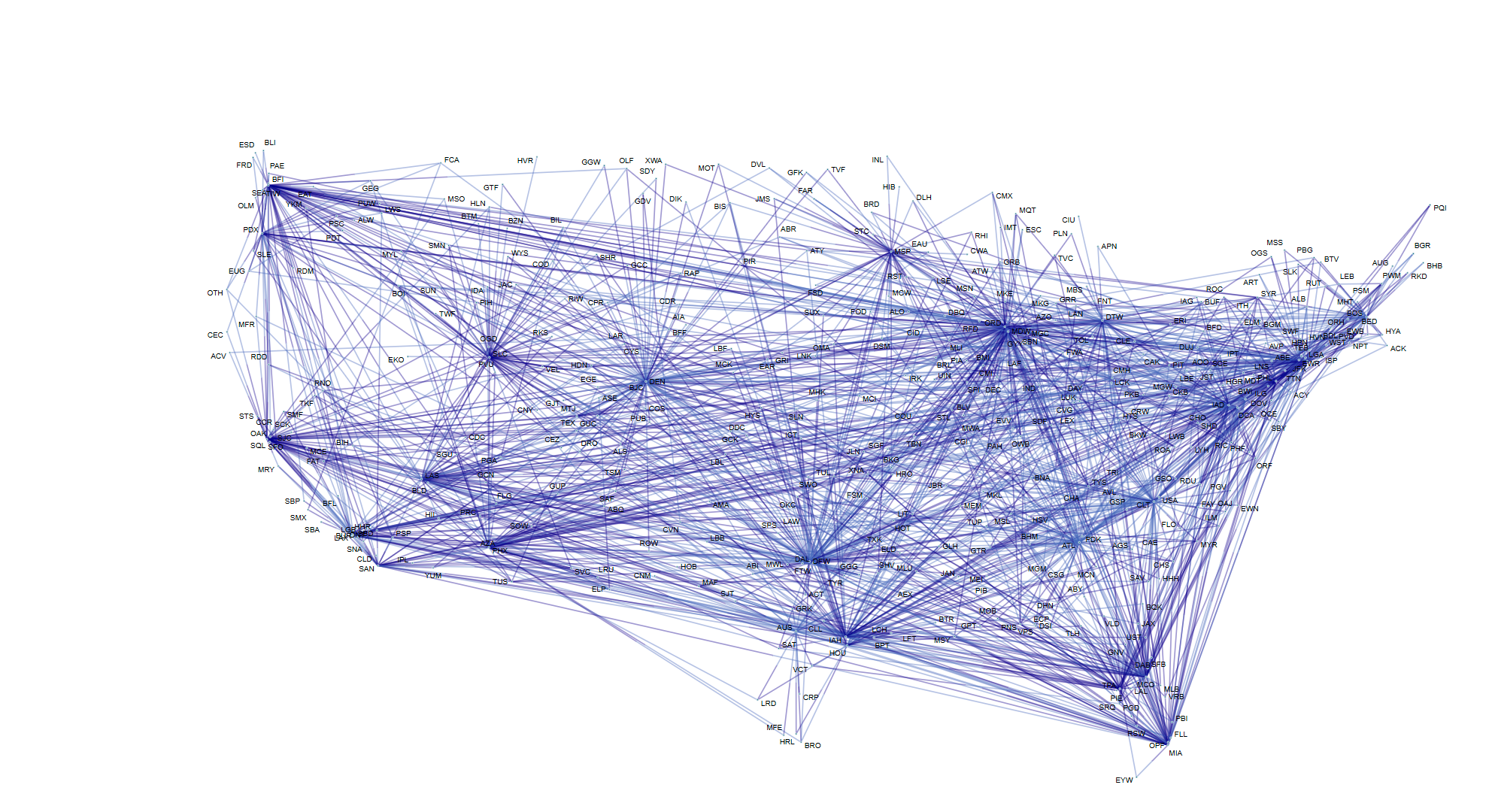
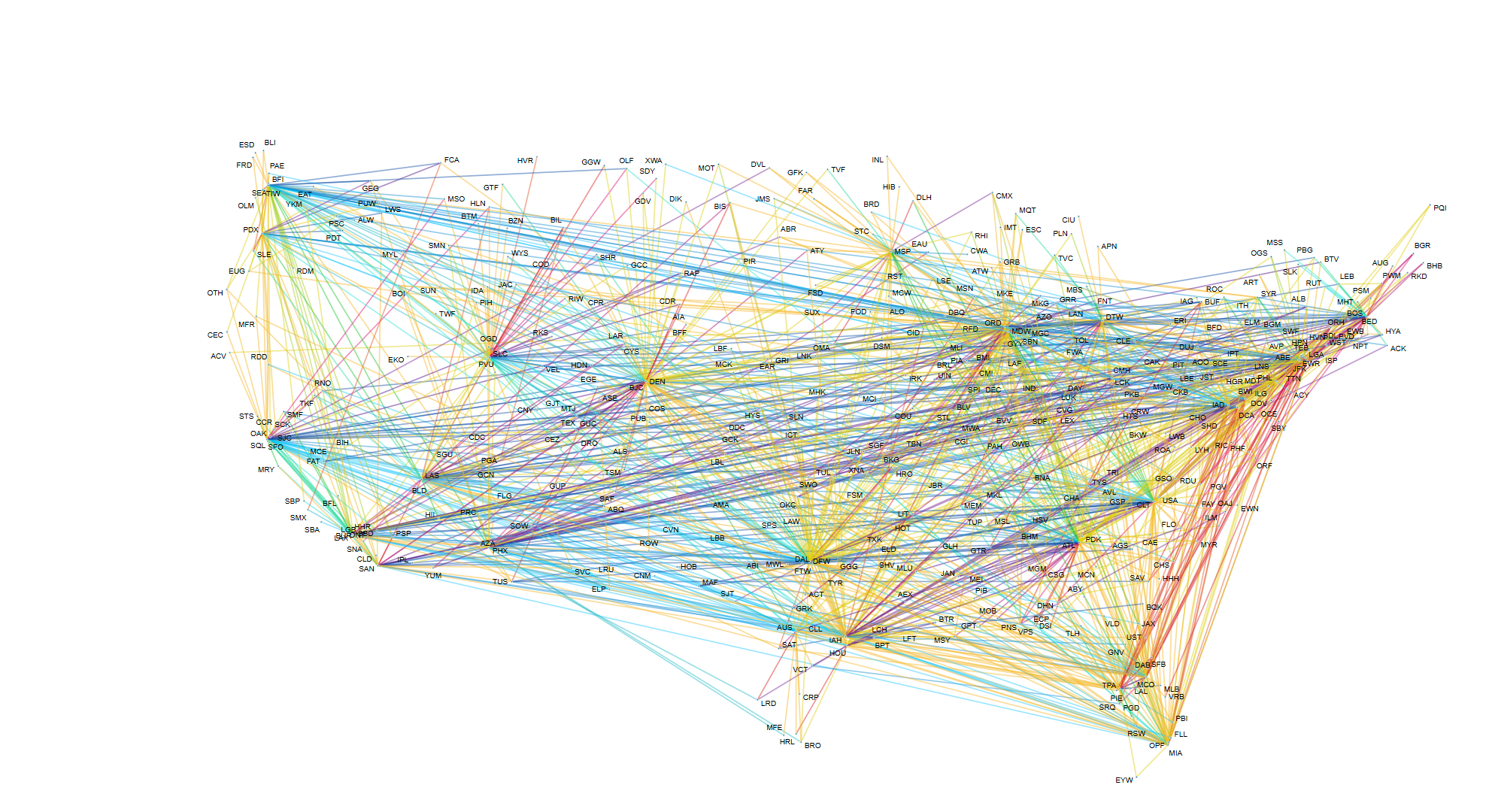
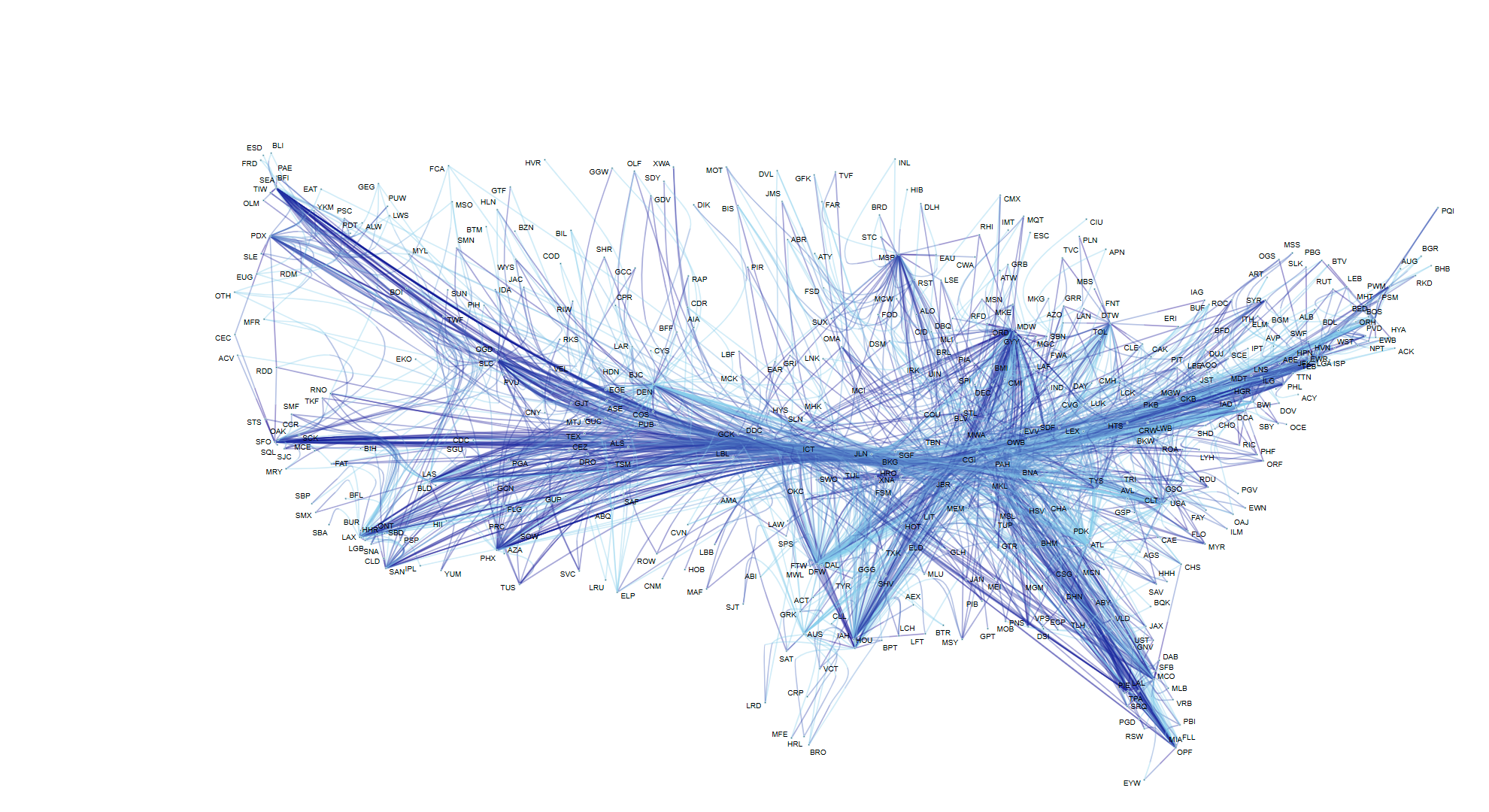
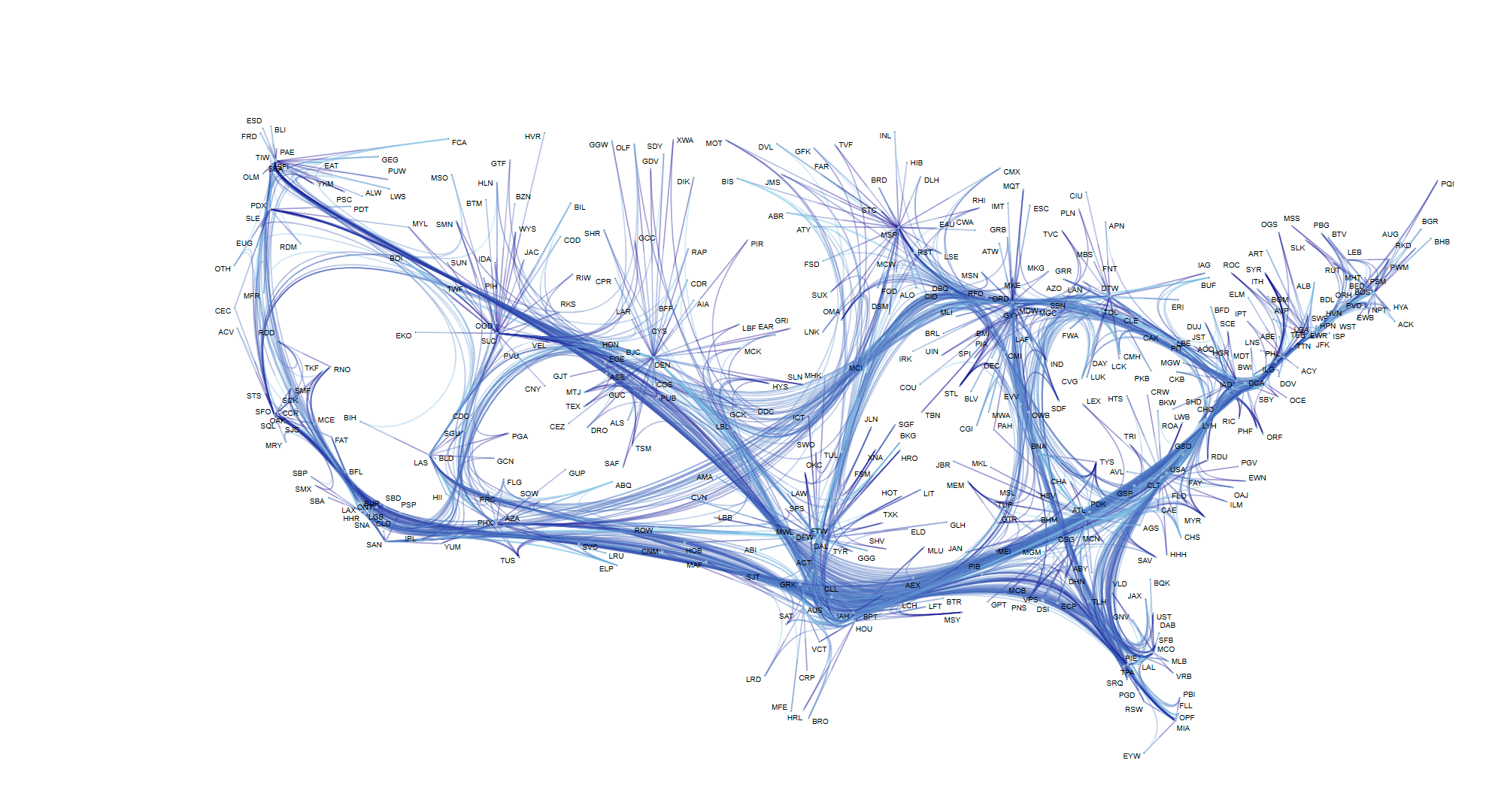
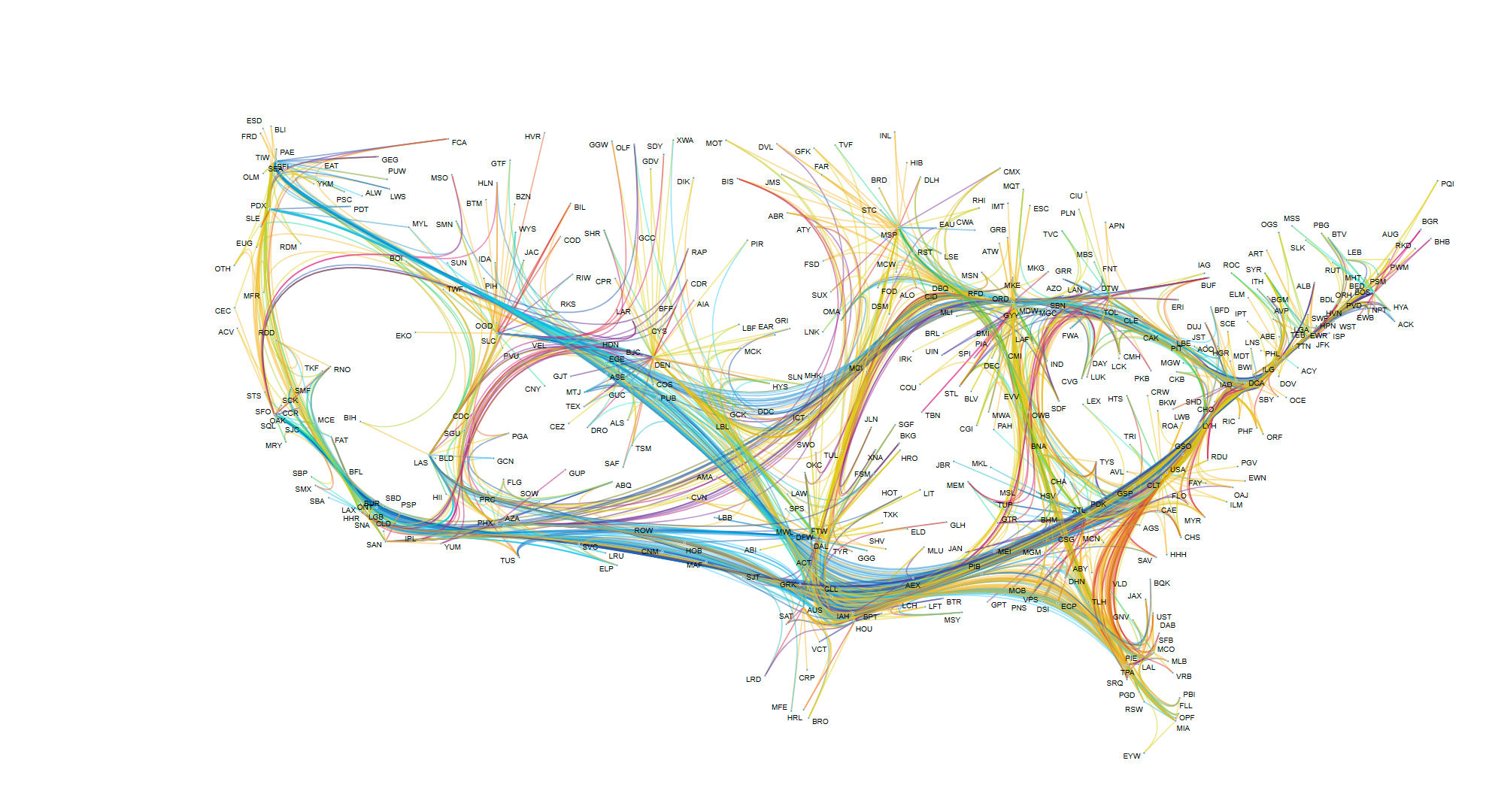
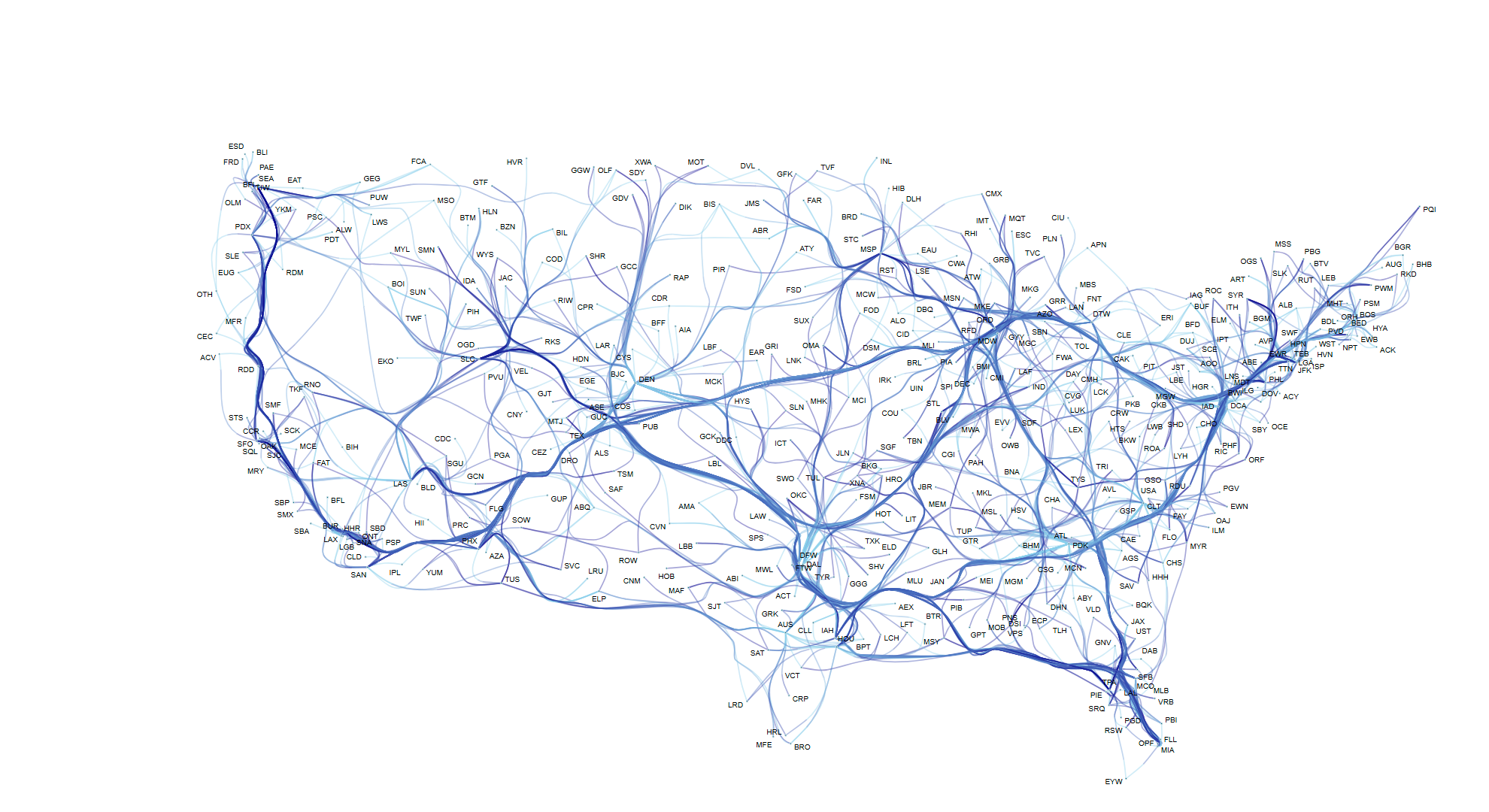
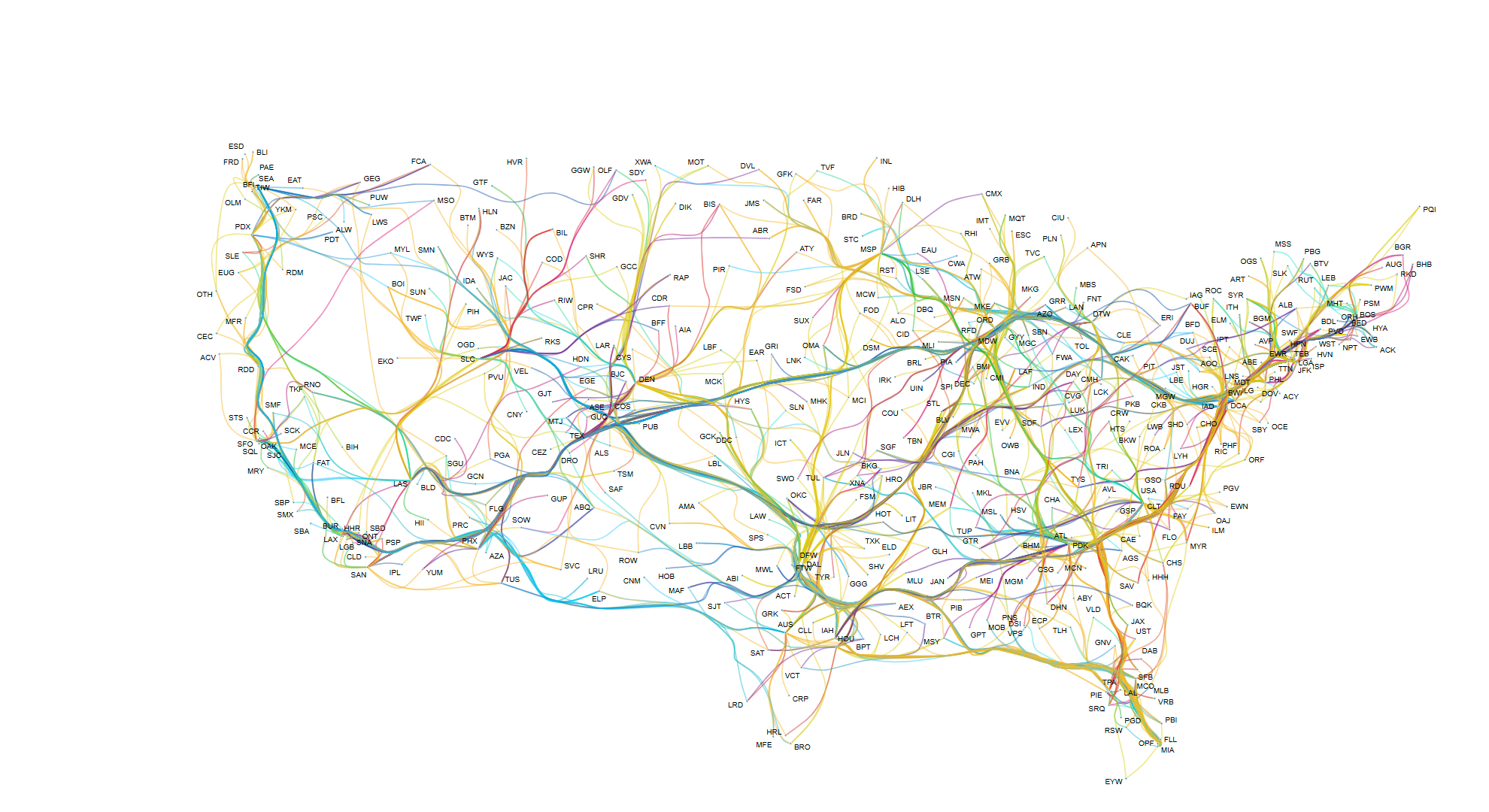
Faster edge bundling for dense graphs
Thousands of crossing connections quickly turn into an unreadable tangle. Bundling merges edges with a similar course into common routes, so the main flows and relationships in your data stand out.
The BundledEdgeRouter now offers two additional strategies. Spanner, the new
default, runs significantly faster than the force-directed method. Voronoi also aims for
high speed and at the same time keeps edges from cutting through nodes more often, which
helps in crowded drawings.

Better results with sequence constraints
Sometimes the order of nodes within a layer carries meaning, for example when entries have to be sorted by name or related items belong next to each other. Sequence constraints let you prescribe this order in the Hierarchical Layout.
Version 4.1 noticeably raises the quality of such drawings: your ordering rules apply, and the hierarchy remains tidy and easy to follow.


Straighter edges with fewer bends
Small jogs in an edge path distract the eye and tell the reader nothing. The Hierarchical Layout now creates considerably fewer of these short segments. Connections run more directly, so they are easier to trace and the overall structure is quicker to grasp.
NuGet packages
yFiles WPF is now shipped with NuGet packages. This makes it easier to add the library to your projects and to keep it up to date with the tools you already use.
More improvements
-
Layout calculations and animations can now be canceled using a
CancellationToken. -
The new
UIElementExporterclass provides exported diagram content as aUIElementthat is ready for direct use in WPF controls. -
Bridges can be made wider for flatter intersection angles using
BridgeManager.MaximumBridgeWidth. - The size of the collapse/expand button on group nodes can now be customized.
Choose your next steps
Get connected
Connect with our Customer Success Team regarding your ideas or projects.

Download yFiles
Try yFiles free of charge.